๐ŸŽฅ Dual Camera ยท Completely Free

Front & Back
in One Frame

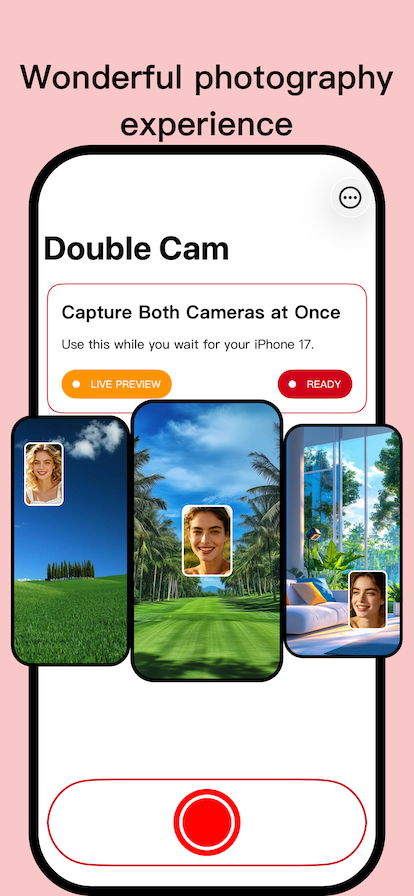
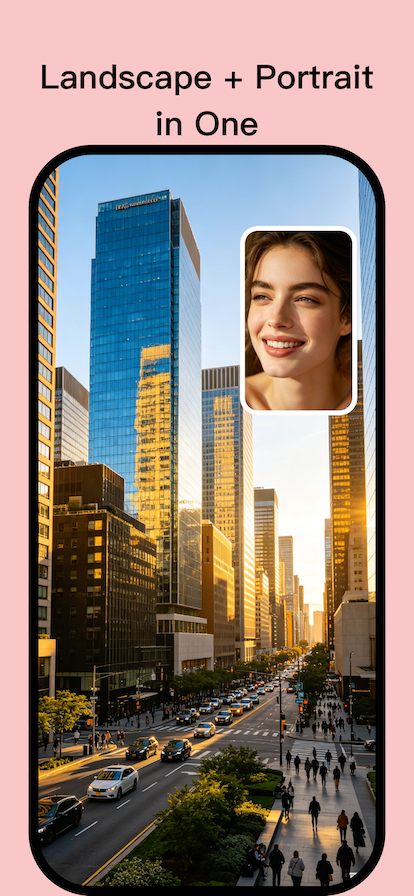
Record vlogs, reactions, and special moments with both cameras simultaneously. Picture-in-Picture or split-screen. No watermark, no subscription.

โฌ‡๏ธ Download on the App Store
โœ… 100% free โ€ข ๐Ÿšซ No ads โ€ข ๐Ÿ”’ No tracking
Double Cam App Interface
Why Double Cam?
Capture both perspectives without missing a thing.
๐ŸŽฌ

Real-time Dual Recording

Use front and rear cameras together. No camera switching. Perfect for reactions and tutorials.

๐Ÿ–ผ๏ธ

Split & PiP Layouts

Choose between side-by-side or picture-in-picture. Resize PiP with a simple pinch gesture.

๐Ÿ“ฑ

Vertical for Social Media

Record in 9:16 format optimized for TikTok, Reels, and Shorts. Ready to share instantly.

โšก๏ธ

High Quality, No Watermark

Export HD videos without any branding. What you record is yours โ€” clean and professional.

See It In Action
Intuitive, powerful, and gorgeous.
How to Use Double Cam
Three simple steps to start creating dual-camera stories.
1

Grant Permissions

Allow access to camera and microphone. Double Cam never stores or uploads anything without your action.

2

Choose Layout

Select split-screen or picture-in-picture. Tap to swap camera positions or resize PiP window.

3

Record & Share

Hit record and capture both angles. Save to your gallery or share directly to social platforms.

Ready to tell both sides?

Join thousands of creators using Double Cam for authentic, dual-perspective videos.

๐Ÿ“ฒ Get Double Cam for Free

No credit card. No trial. Just free dual-camera magic.